
VLANs and L2
How to tell whether a VLAN still has any ports on a switch
VLANs outlive the things that needed them. Before removing one, the useful question is not "is this VLAN used" in the abstract but "does this switch still have ports in it", because that is answerable and it is what determines whether removing it breaks something locally.
Before you start
What you need
- Module required: inventory.
- Permission required: view_inventory.
- all
1. Open the VLAN inventory
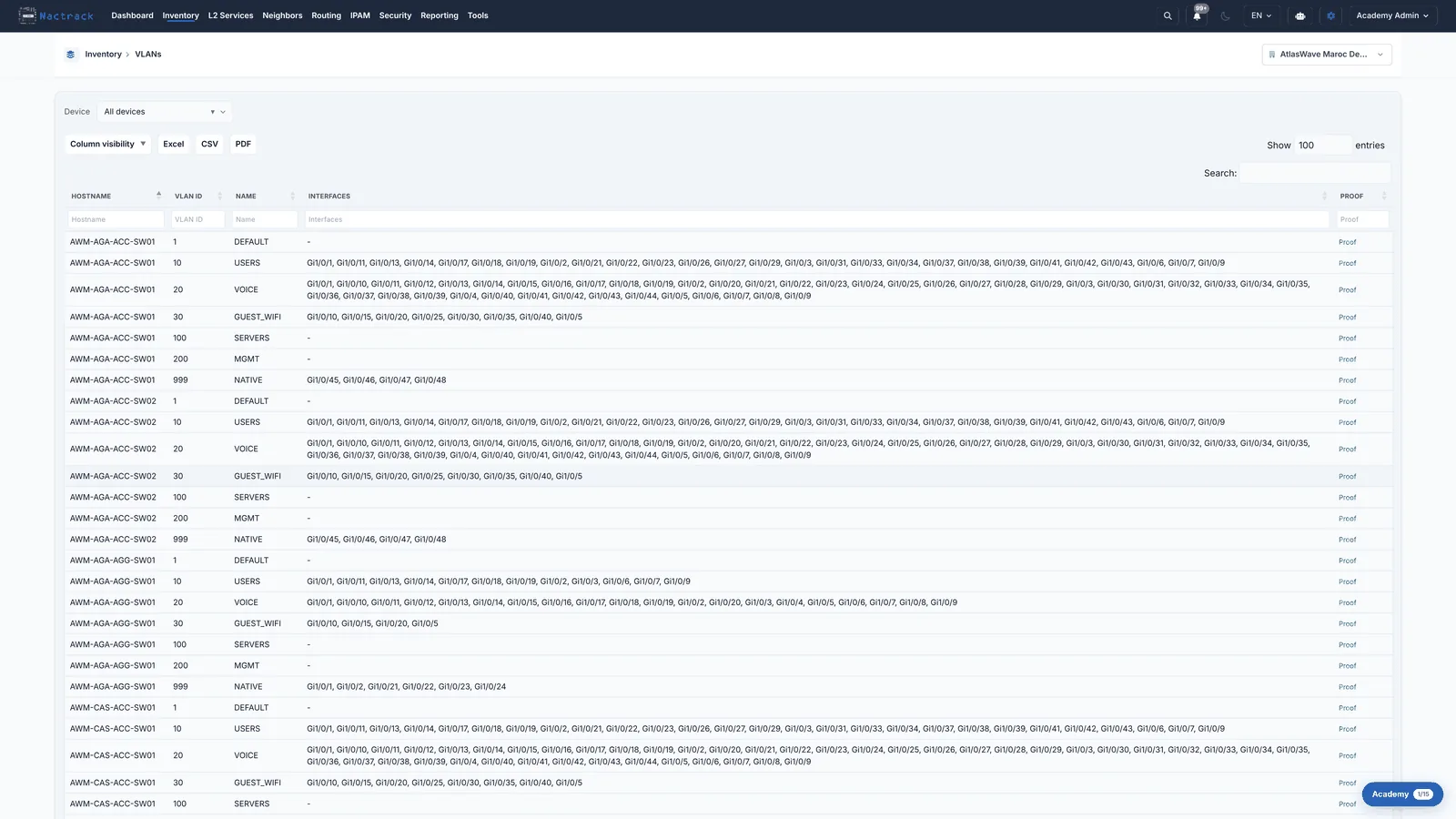
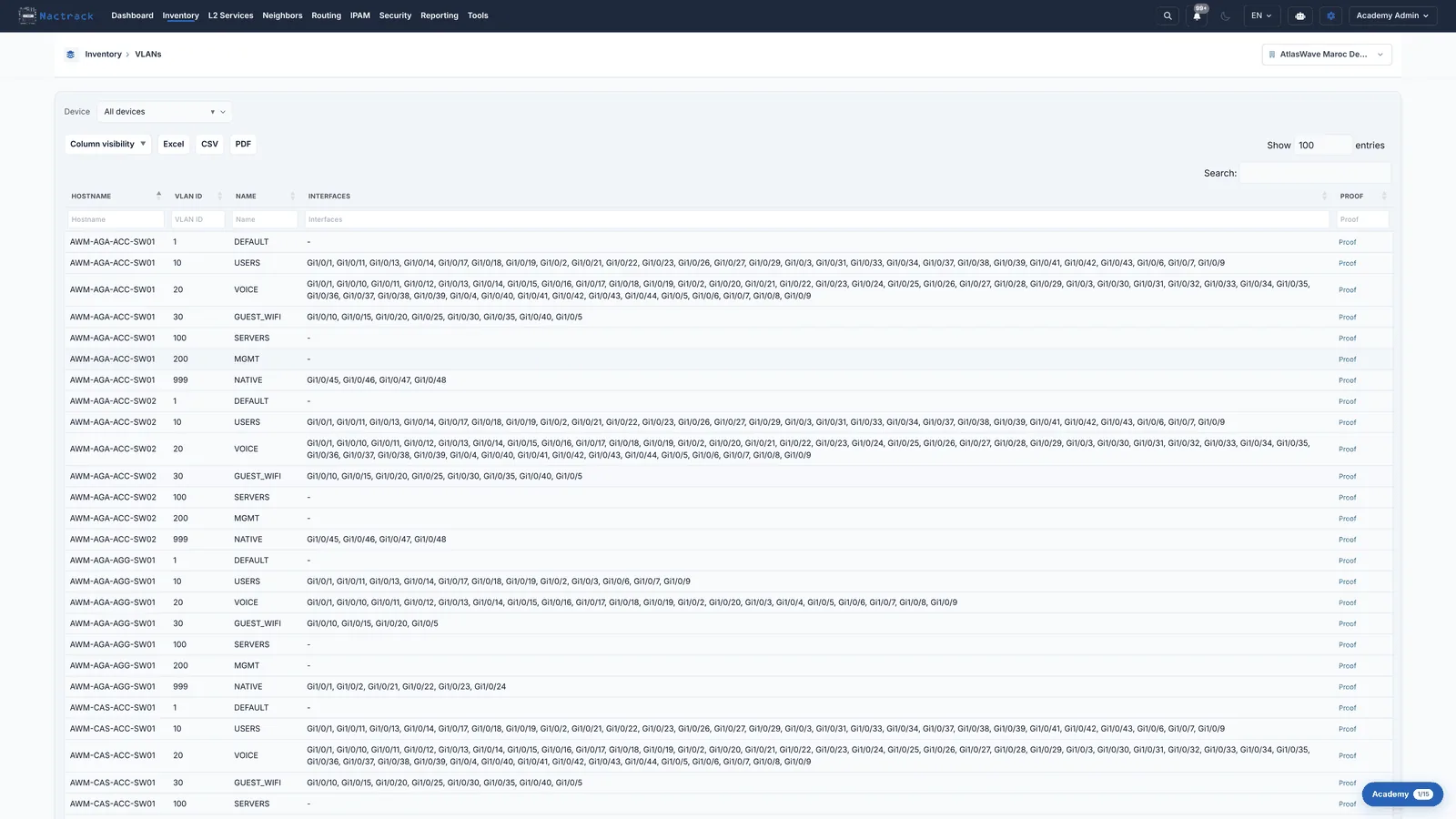
2. Look for a dash
The limits
What this view does not tell you
- A dash does not mean the VLAN is unused. It means no ACCESS port on this switch is in it. The VLAN may still be carried across the switch's trunks for other devices, and removing it would break them.
- There is no fleet-wide "unused VLANs" report, and no filter for empty ones. This is a reading of a list, one switch at a time, which is why it belongs to the understanding tier rather than the lookup tier.