Know exactly what is on your network.
NacTrack reads your devices over SSH and rebuilds your inventory, topology, compliance and CVE exposure. On your own infrastructure, with no agent to install.
- Read only SSH, no agent
- Multi vendor, no partnership required
- No data leaves the site
Collected from these platforms, with no agent
A read only SSH session, the commands each platform understands, and nothing installed on your devices.
- Cisco
- Huawei
- Juniper
- Aruba
- Arista
- Nokia
- Dell
- Fortinet
- F5
- Palo Alto Networks
- Infoblox
- Forcepoint











What NacTrack reads on your devices
Seven families, read over SSH on every platform. The detail, including what is read without deep analysis, is published.
Discovery and adjacency
CDP, LLDP, ARP, MAC tables
Switching
STP, RSTP, MSTP, LACP, VLAN, QinQ
Routing
OSPF, OSPFv3, IS-IS, BGP, EIGRP, VRF, BFD
Transport
MPLS, LDP, L2VPN, VPLS, EVPN
Gateway redundancy
VRRP, HSRP, GLBP
Access control
802.1X, MAB, TACACS, RADIUS, TrustSec
Management plane
SSH, Telnet, SNMP, NTP, DHCP
Two pages, depending on your role
The same data, presented for what you need to decide.
- What exactly do we own
- What are we exposed to
- What can we state
- Where does our data live
- Which commands, with what access
- What is read per platform
- Where the gaps are, stated
- How to check without believing us
It is not an installation, it is a lap that starts again
The four stages below repeat on every collection. It is the repetition that keeps the inventory current, not the first run.
Every collection scheduled, or started by you
- ConnectSSH, read only. Your credentials, the same access an operations engineer has. Nothing is written to the device.
- Readthe vendor's own commands. What IOS shows with one command reads differently on VRP or Junos.
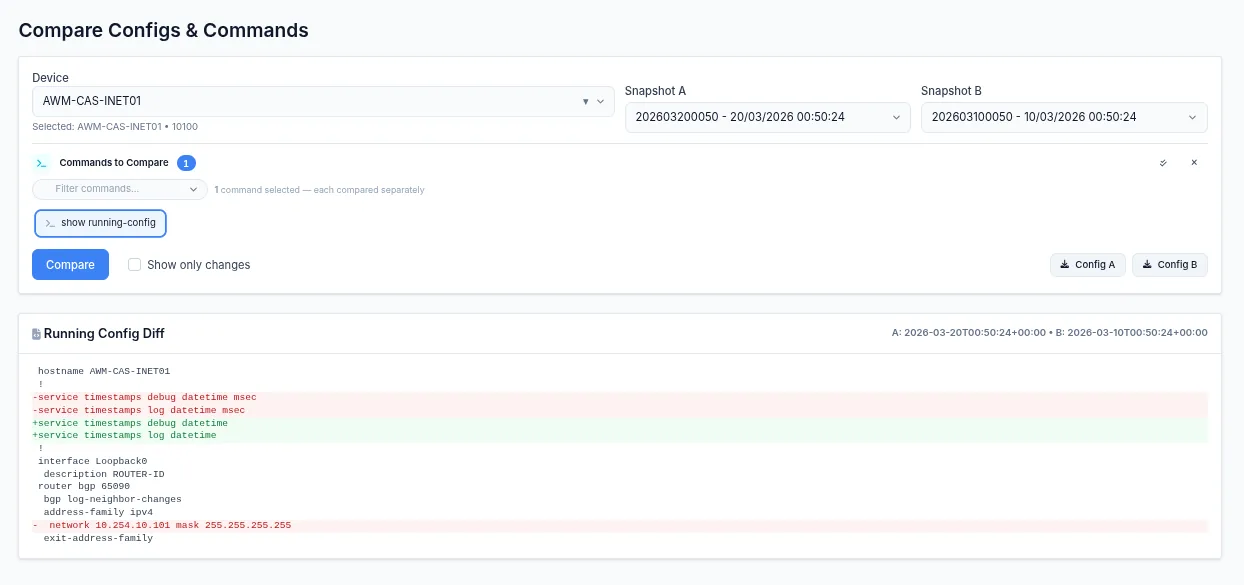
- Keep and correlatehistory and topology. MAC tables, ARP tables, reported neighbours and configurations cross reference each other. Topology comes out of that crossing.
- Answerfrom the last collection. An answer always comes from the last collection, never from the live device, and the collection date travels with the data.
An answer always comes from the last collection, never from the device live. The detail of each stage is directly below.
One collection, and here is what it answers
These are the six asks that come back most often. Each is a different reading of the same collection, not another product to install.
Someone asks how many devices you have
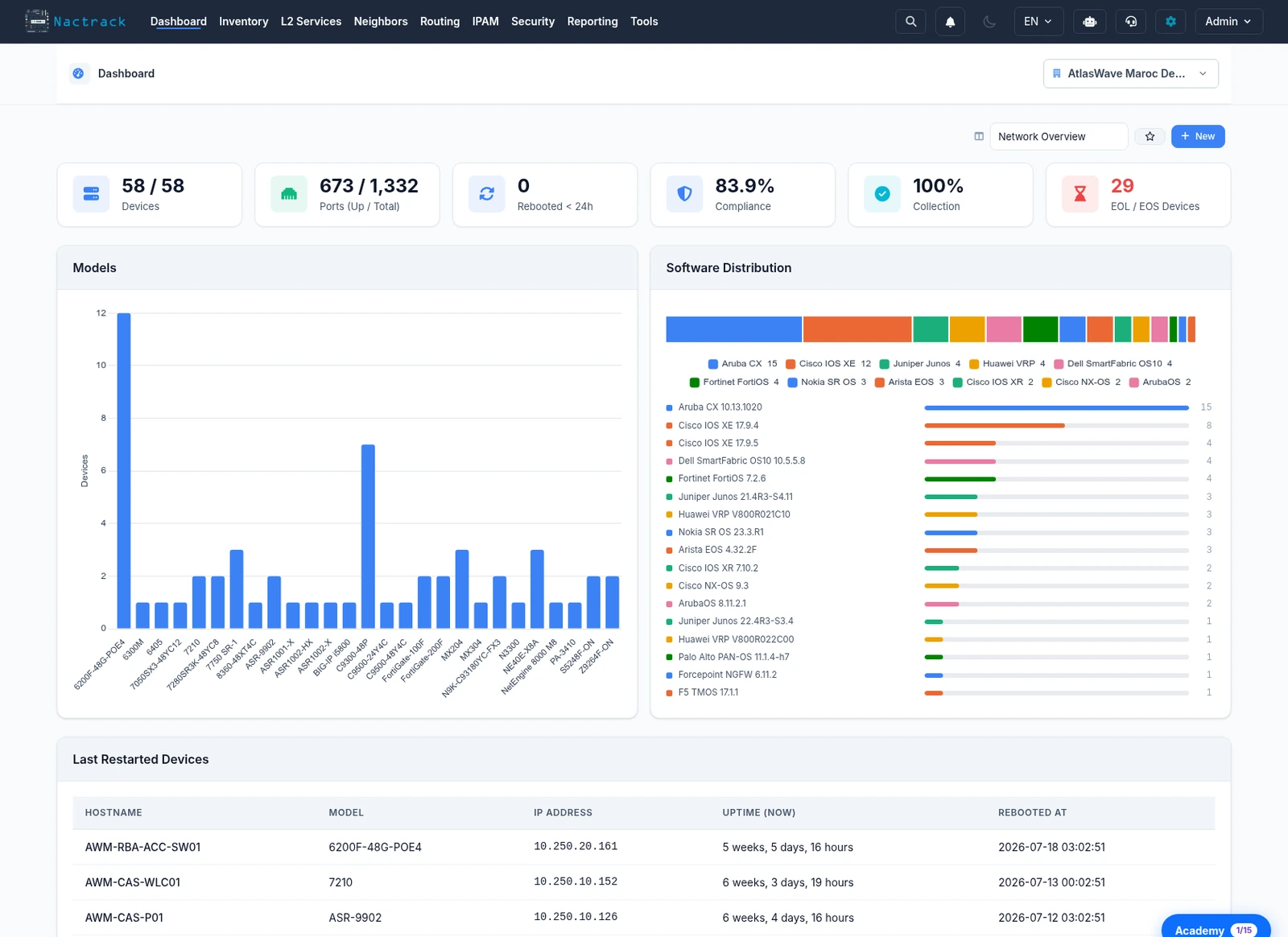
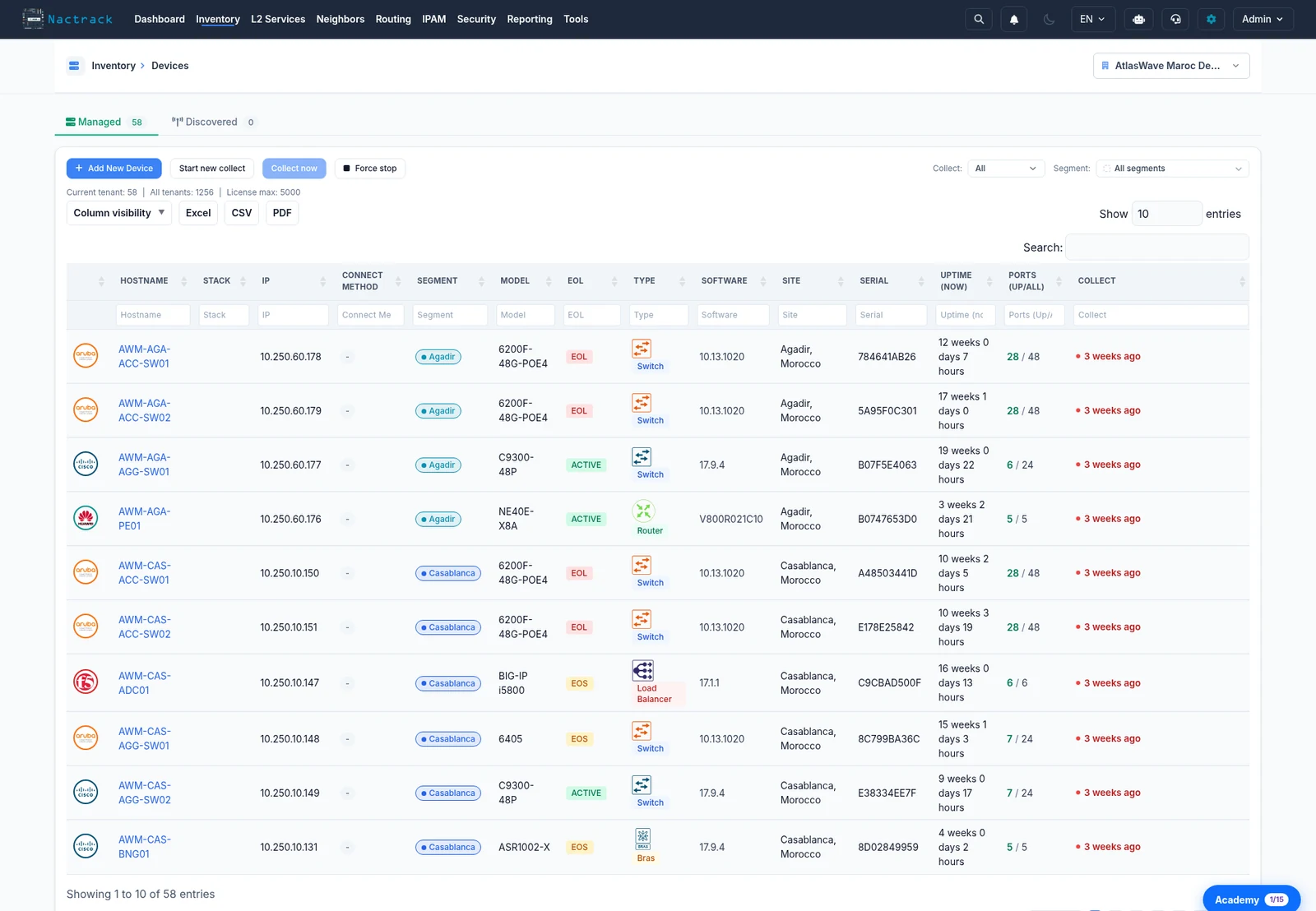
The answer is a dated number, with the models, versions and serial numbers behind it, site by site. Not an estimate reassembled from three spreadsheets.
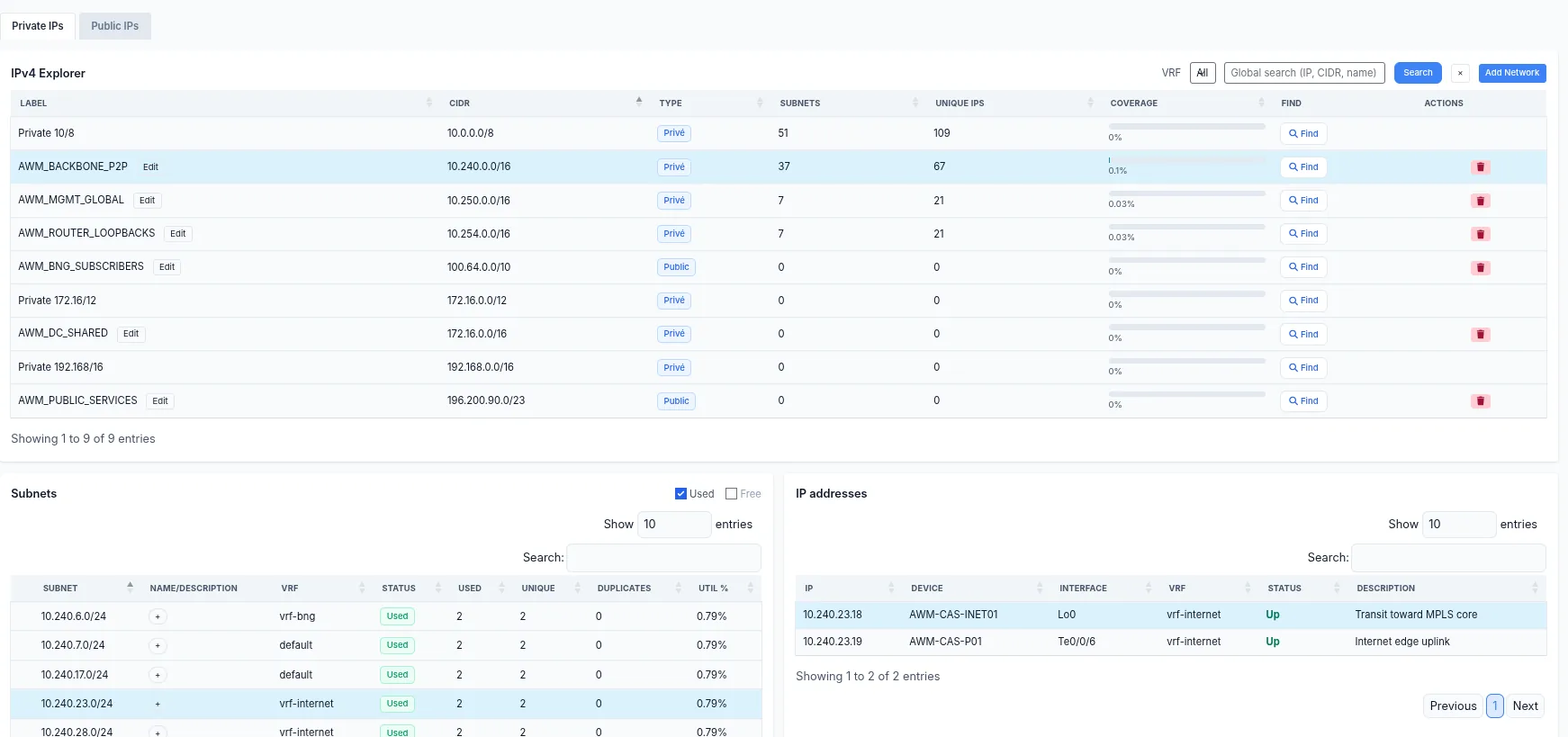
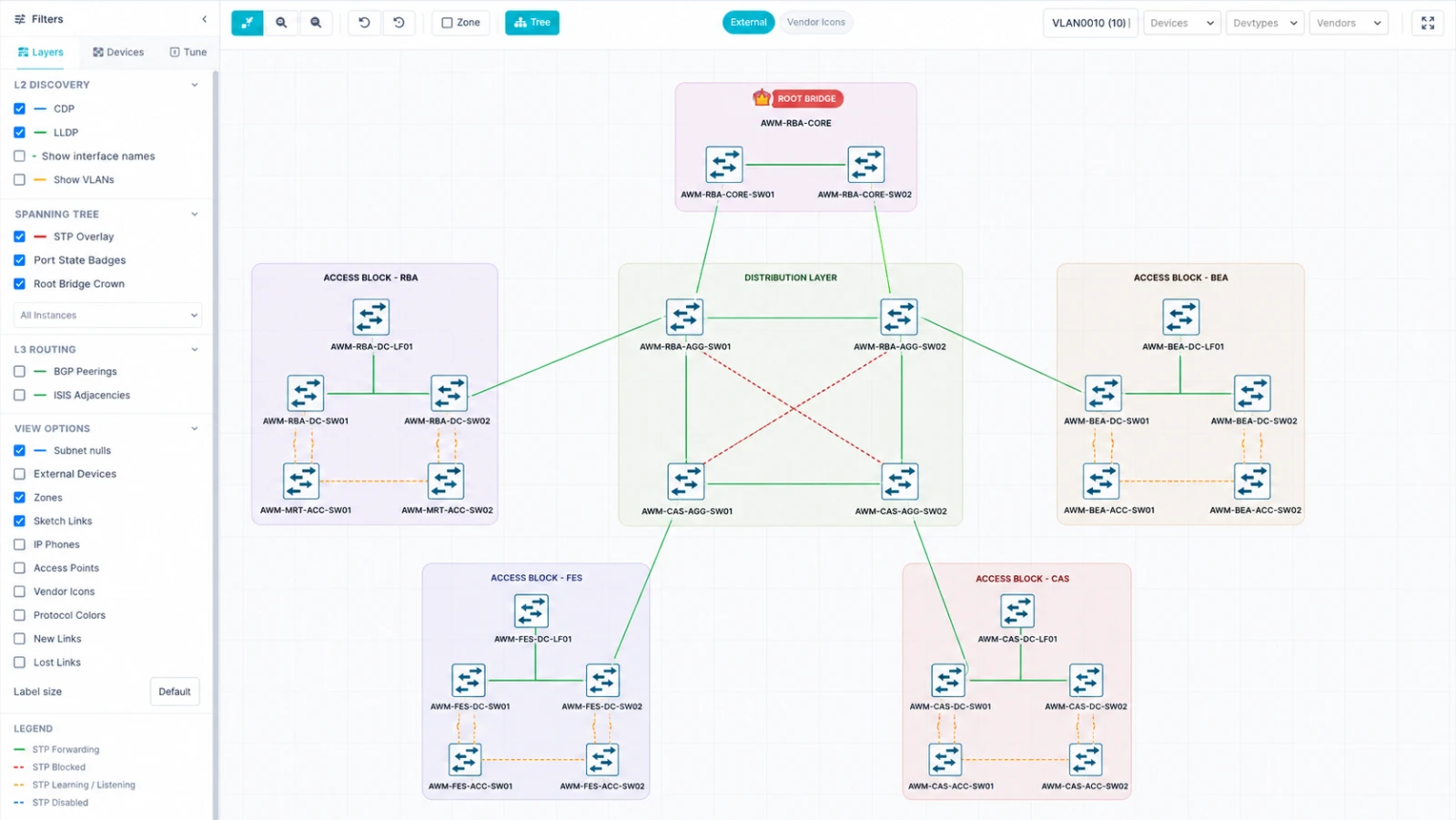
›TopologyThe diagram and the network have drifted apart
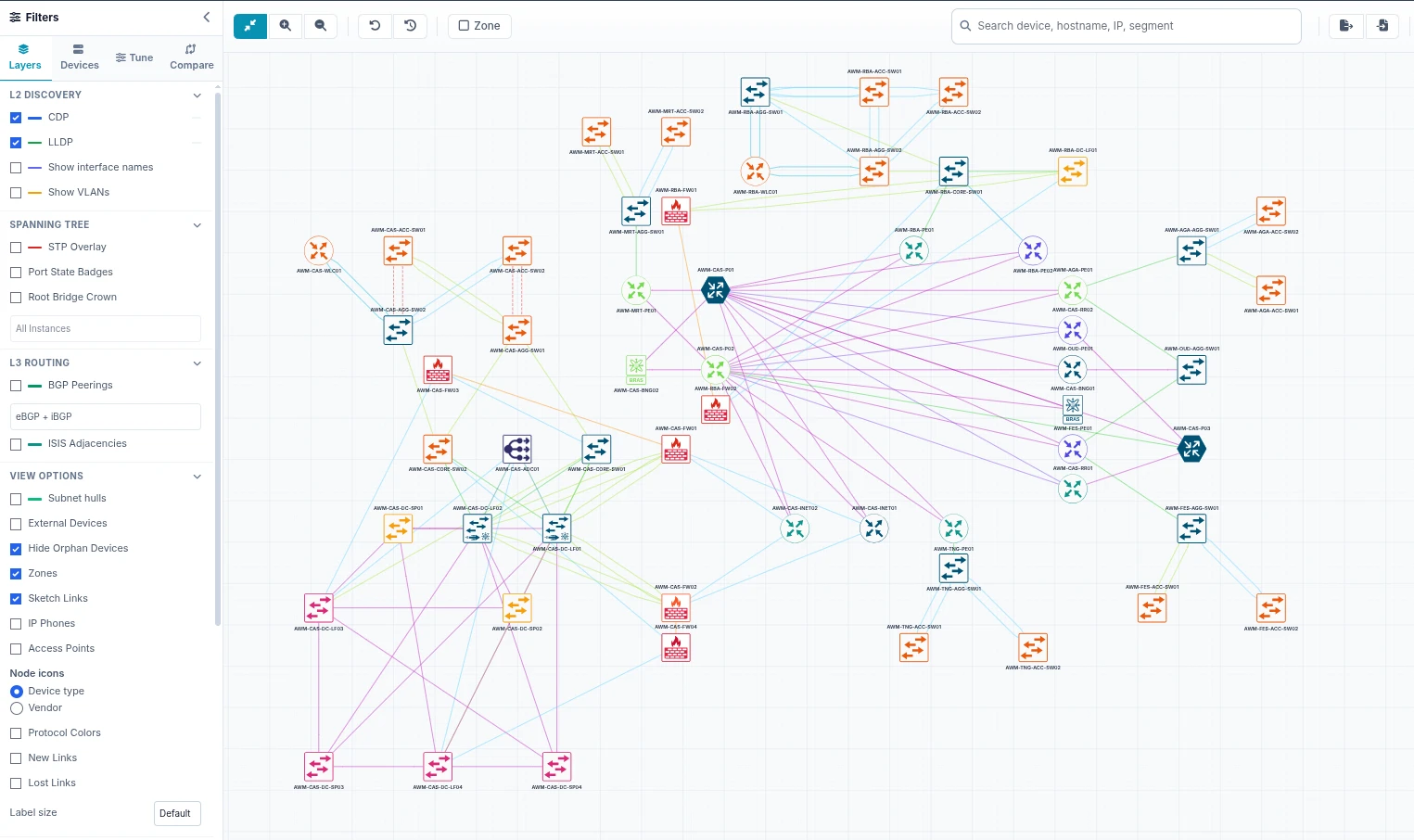
The topology is rebuilt on every collection, from the neighbours the devices report themselves. Where it contradicts the diagram, the diagram is what is wrong.
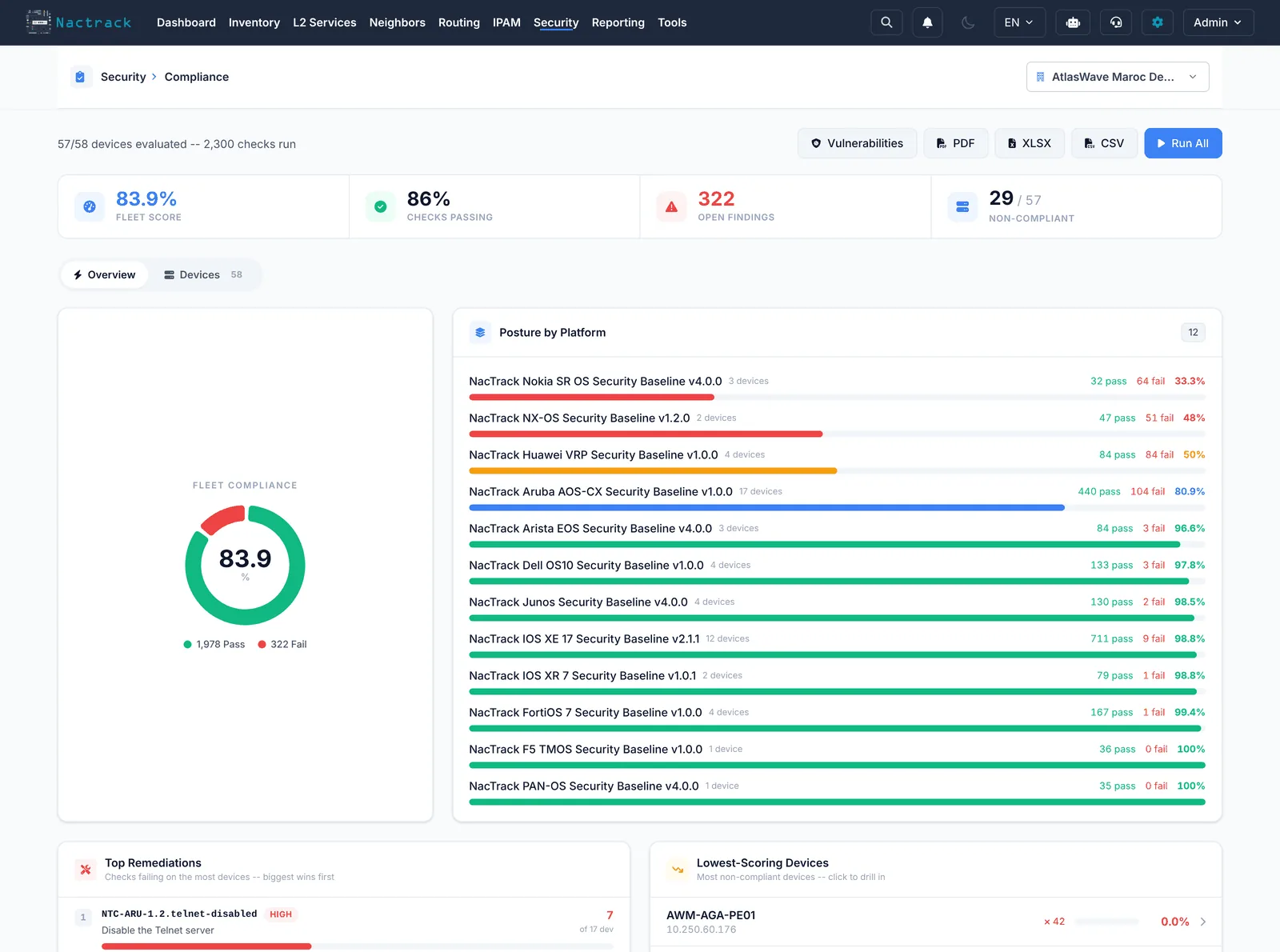
›ComplianceEvery gap names its rule and its configuration line
Every gap names the rule, the device and the configuration line that triggered it. It is dated, it exports, and it carries what produced the finding.
›ExposureA critical CVE lands on a Friday evening
The question is not whether you are affected, but which ones. The matching is version by version rather than model by model, and what is actively exploited comes first.
›DiscoveryA device nobody declared, still forwarding traffic
The recursive neighbour crawl surfaces them one by one, from what their neighbours say about them. They are usually the oldest, and the ones carrying the most risk.
›Access controlAn 802.1X rollout reported as finished
Live sessions give the real rate, with the share falling back to MAB. The gap between what was announced and what is observed is measured port by port.
›Product tour
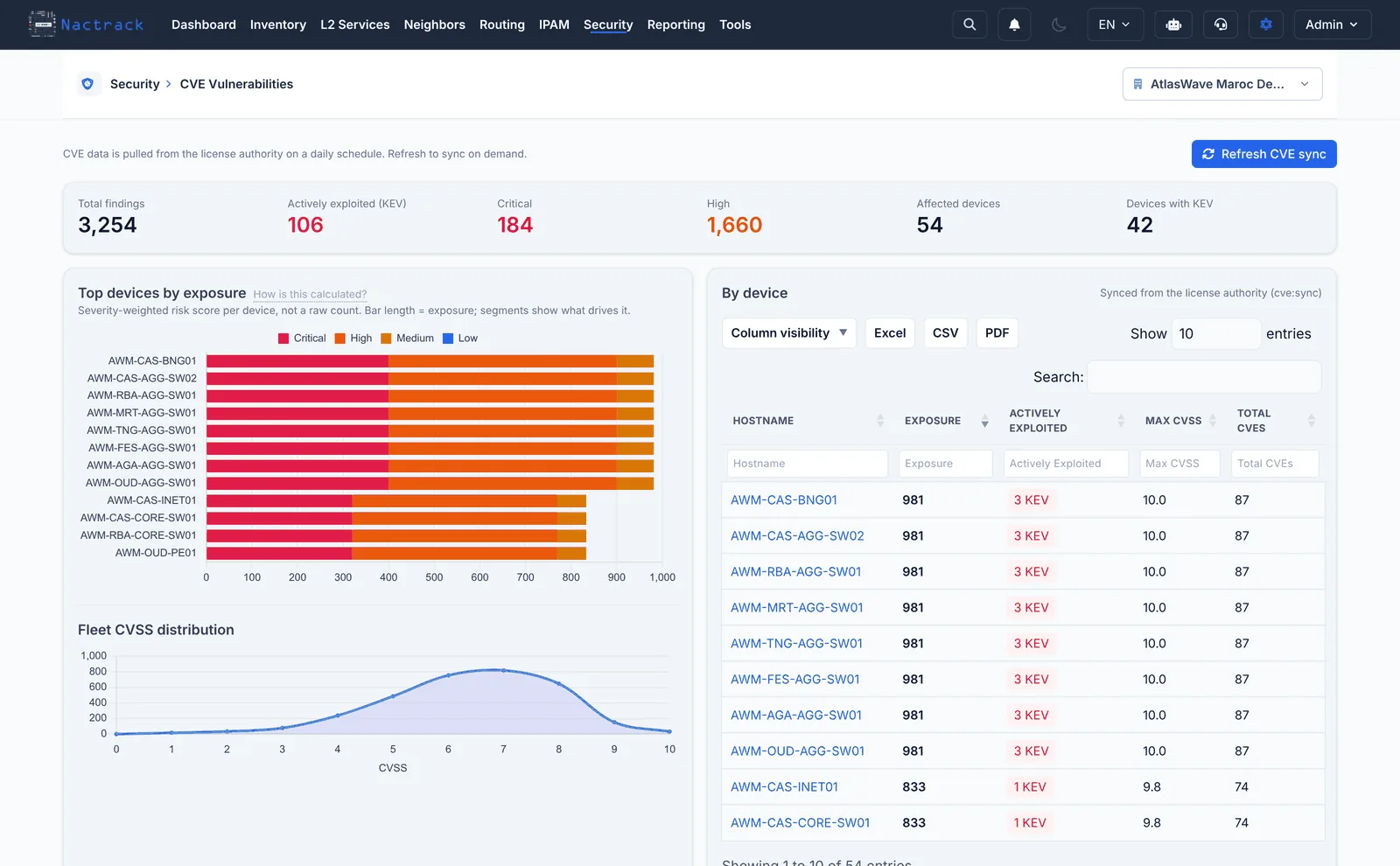
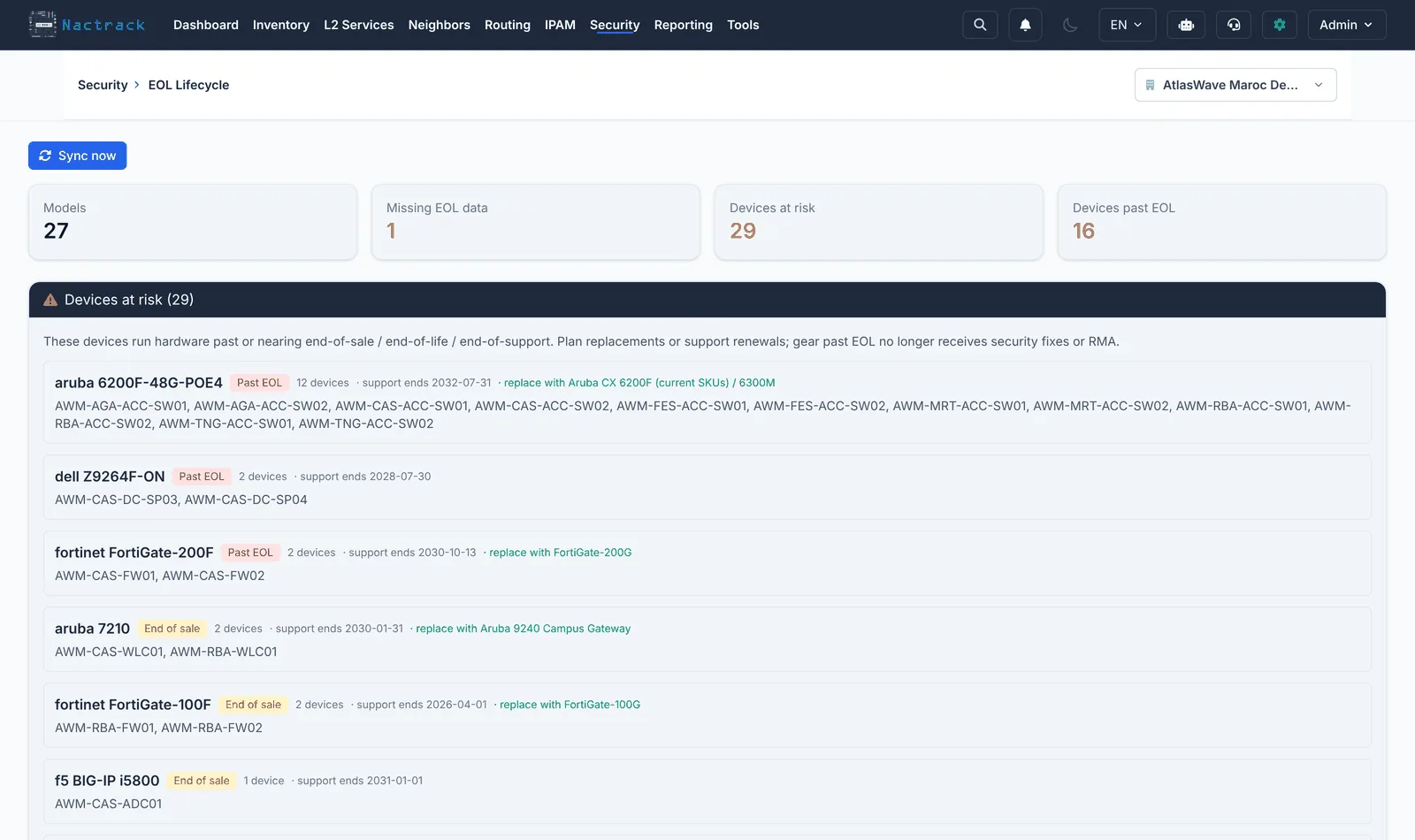
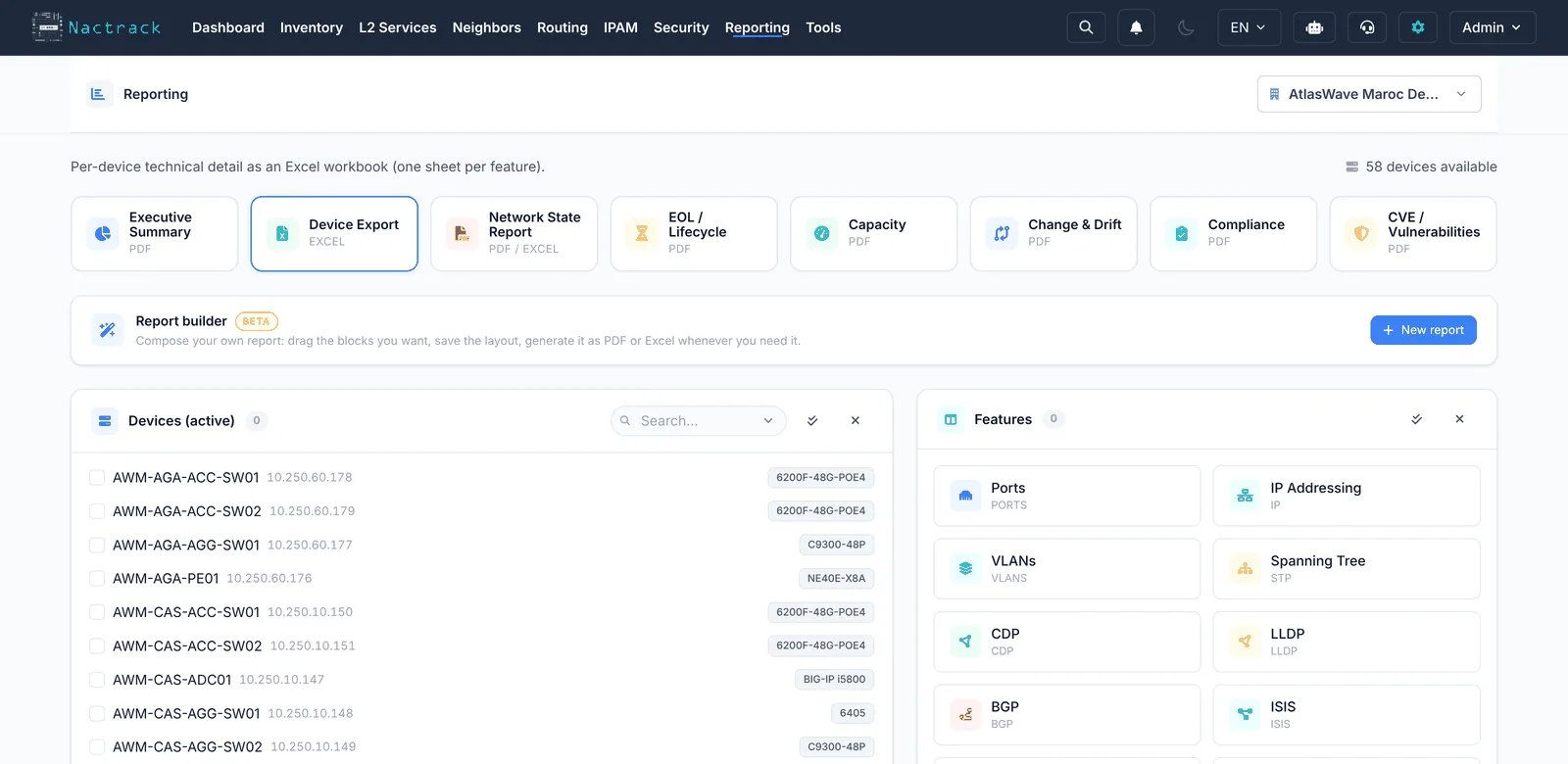
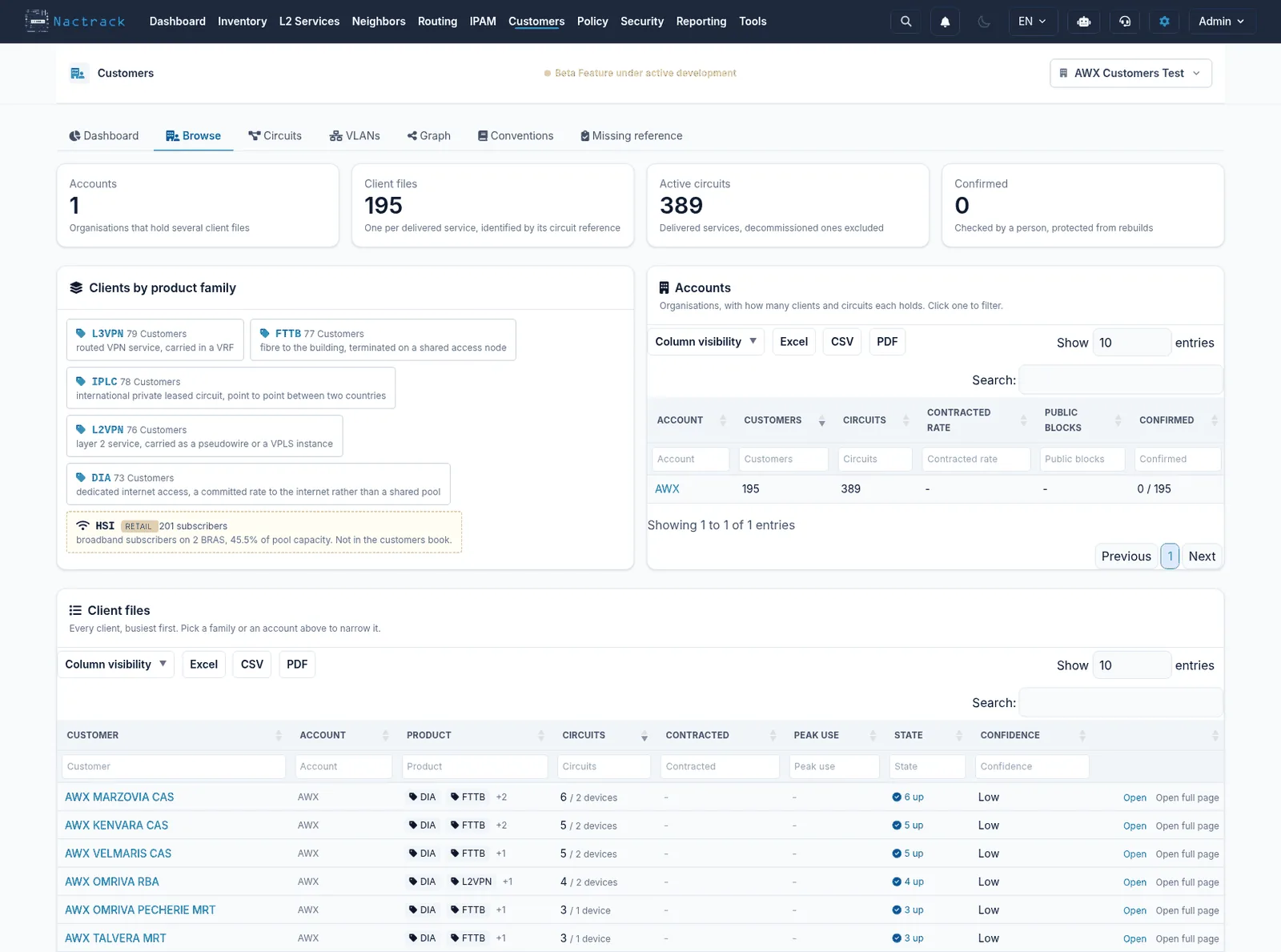
Your configurations never leave the building
A network configuration holds the addressing plan, site names, SNMP communities, filtering rules and sometimes secrets. It is the map of the house.
NacTrack installs on your hardware, in your room. Your configurations, your inventory and your results never leave the building.
- Appliance on your hardware, LUKS2 encrypted disk
- Your data never leaves
- No outbound telemetry by default
- Strict isolation between tenants
- Support access opened by you, when you decide
What we get asked before the first meeting
Do you need internet access?
No for your data: it does not leave. The vulnerability catalogue and updates can transfer by file. One flow is needed over time, licence validation: without it the installation moves to read only after a long window rather than stopping.
What does the vendor see of our data?
Nothing, unless you open support access yourself, which you then close. There is no automatic upload of configurations, inventory or results.
What if our estate is out of date?
That is the most common case, and it is exactly what the first collection reveals. An estate moves faster than its documentation, everywhere.
Does NacTrack replace our monitoring?
No, and it should not be bought for that. NacTrack tells you what the network is, whether it is compliant and what it is exposed to. It does not tell you whether a device is answering right now, or how loaded it is. Those are different questions, and you need the answers to both.
How long until the first answer?
Between a minute and a half and three minutes per device when the device answers normally, and devices are collected in parallel: a hundred of them is then a matter of tens of minutes. The pace belongs to your network and your devices, not to us: on sensitive equipment, or during load hours, the collection is deliberately slowed and scheduled outside them. The real constraint is usually neither: it is getting read access approved.
What happens once it is installed
The part that is hardest to judge before buying, and the part that decides everything afterwards.
Corrected by the people who run it
NacTrack is built and exercised by field engineers, on real estates that are in production. The support flow that raises your incidents raises theirs too, and that is where the fixes come from: a device no specification anticipated, a ticket carrying what the device actually answers, then a release.
›Support sees what you see
Incidents are raised from the installation itself, with the technical context already attached. You do not have to describe a problem the machine can describe better than you.
Remote access is closed by default
No permanent access and nothing dormant. When an intervention is needed you open it, for the duration, and you close it again.
You choose when you move version
Two channels: one stable, one ahead for those who want to see what is coming. You decide which you are on, and an update is triggered from your side.
Nothing needs the internet
Your data does not leave, and that is the only absolute promise here. The licence does have to reach our service from time to time: without it the installation moves to read only after a long window rather than stopping dead, and it is also the path security fixes arrive by.
See the product before you decide
The demonstration is read only, on a fictional estate. The account is requested through a form and arrives by email, on that estate or on a space prepared around your own questions.