
Spanning tree
How to find which ports spanning tree is blocking
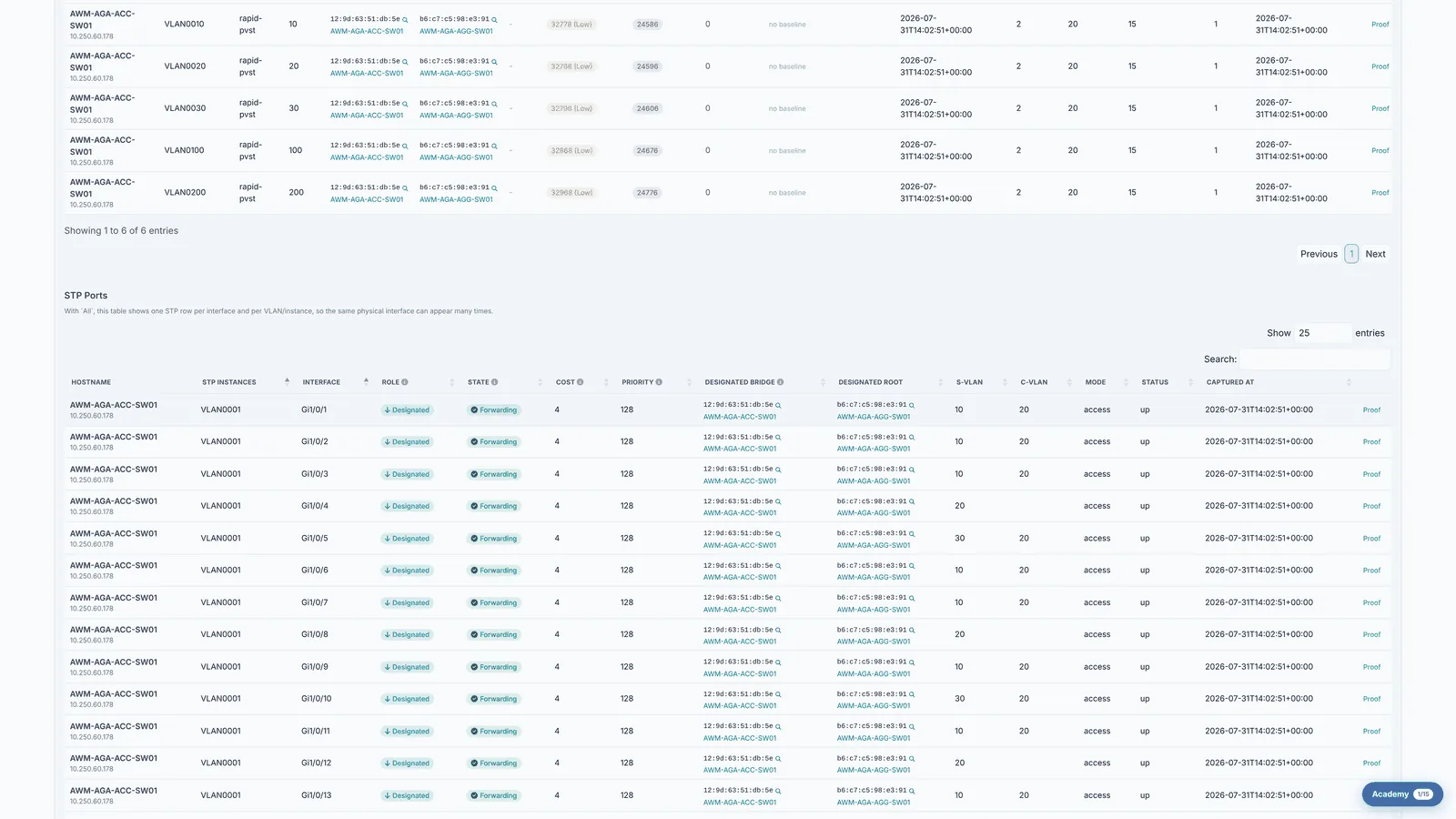
A blocking port is not a fault. It is spanning tree doing its job, holding a redundant link in reserve so the network has no loop. What matters is whether the ports it chose to block are the ones you would have chosen, because a link blocked at the wrong end sends traffic the long way round every day without anyone noticing.
Before you start
What you need
- Module required: stp.
- Permission required: view_stp.
- Cisco and Huawei switches only
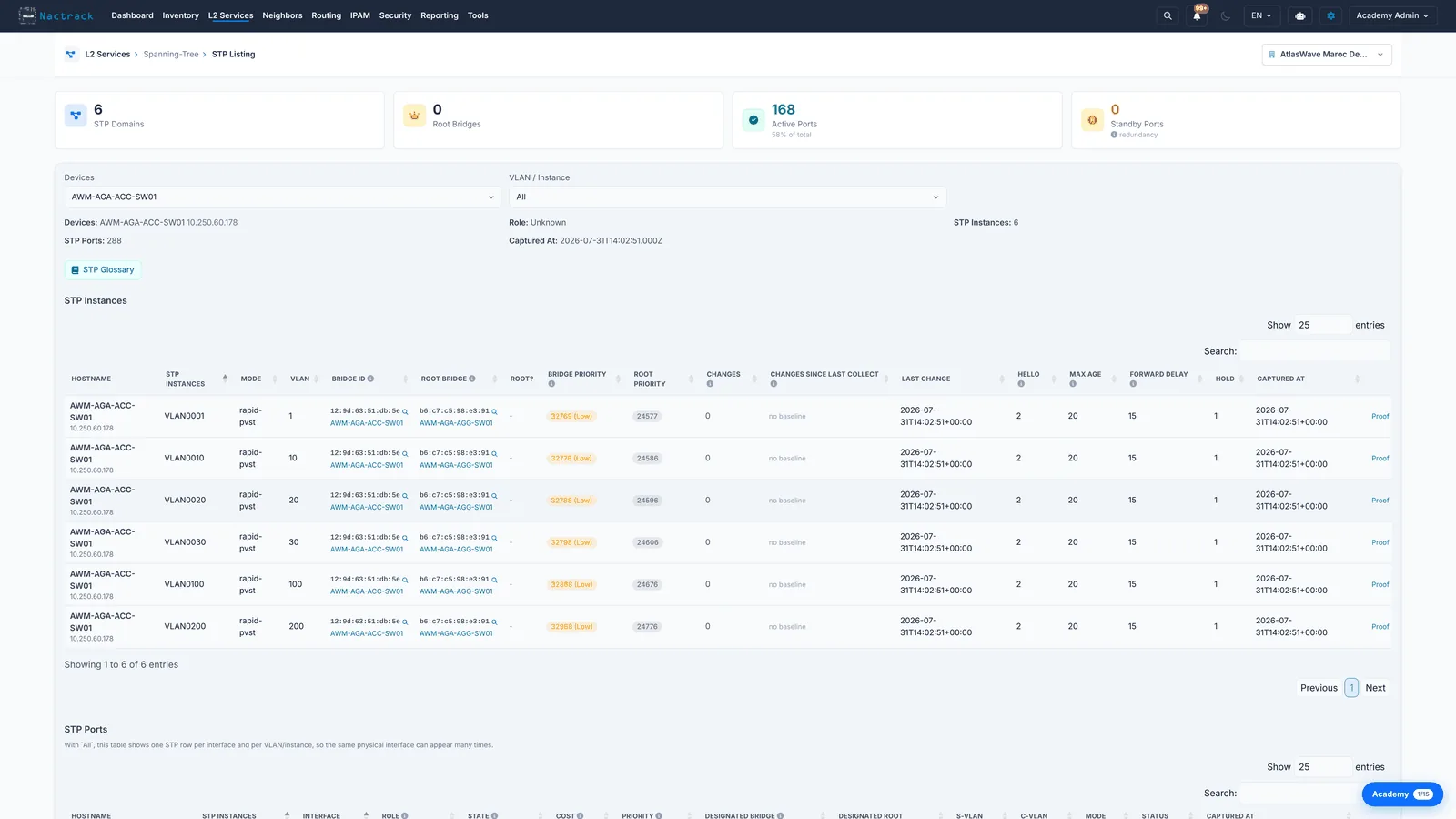
1. Open the STP listing
2. Read role and state
The limits
What this view does not tell you
- Most ports on an access switch read Disabled rather than Forwarding or Blocking. That is not spanning tree rejecting them; it is simply that nothing is plugged in.
- This is the state at the last collection, not a live feed. A port that has since converged differently will still read as it did when it was collected.