
Endpoints
How to tell whether an IP belongs to a user device or to network equipment
IP Finder heads each block of results with the source that matched, and that heading is the answer to a question people ask constantly. An address found in an ARP table is something plugged into the network. An address found in the inventory is a device NacTrack manages. The same search box tells you which, without you knowing in advance.
Before you start
What you need
- Module required: core.
- Permission required: use_troubleshooting.
- all
1. Open IP Finder

2. Read the first source heading
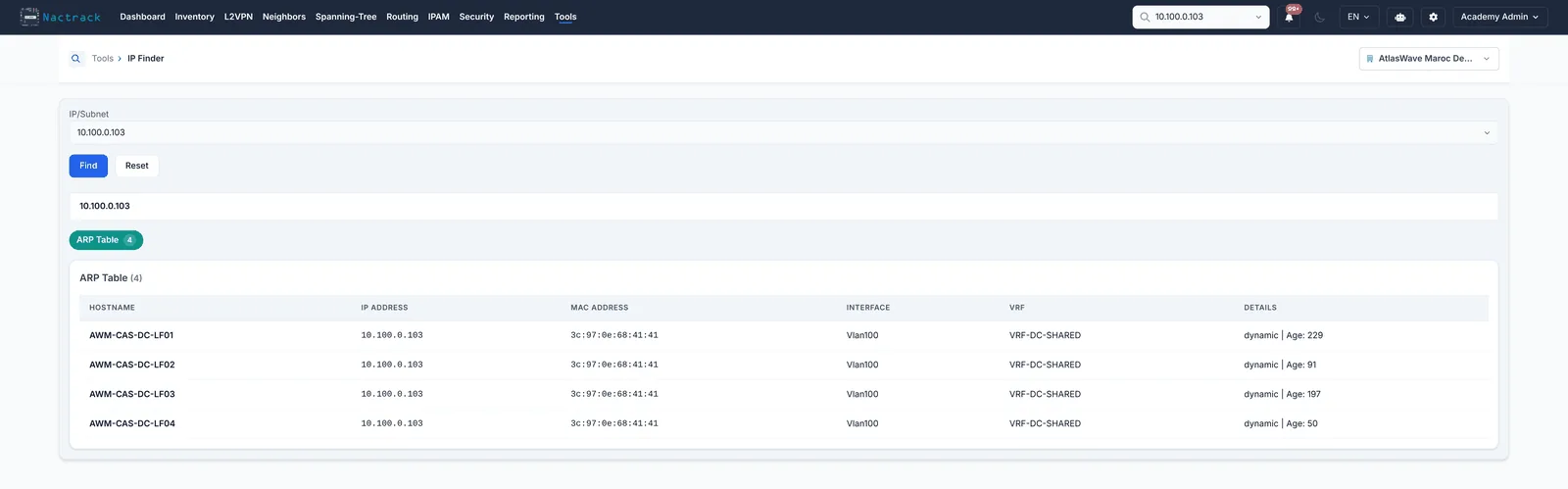
3. Read the second source heading
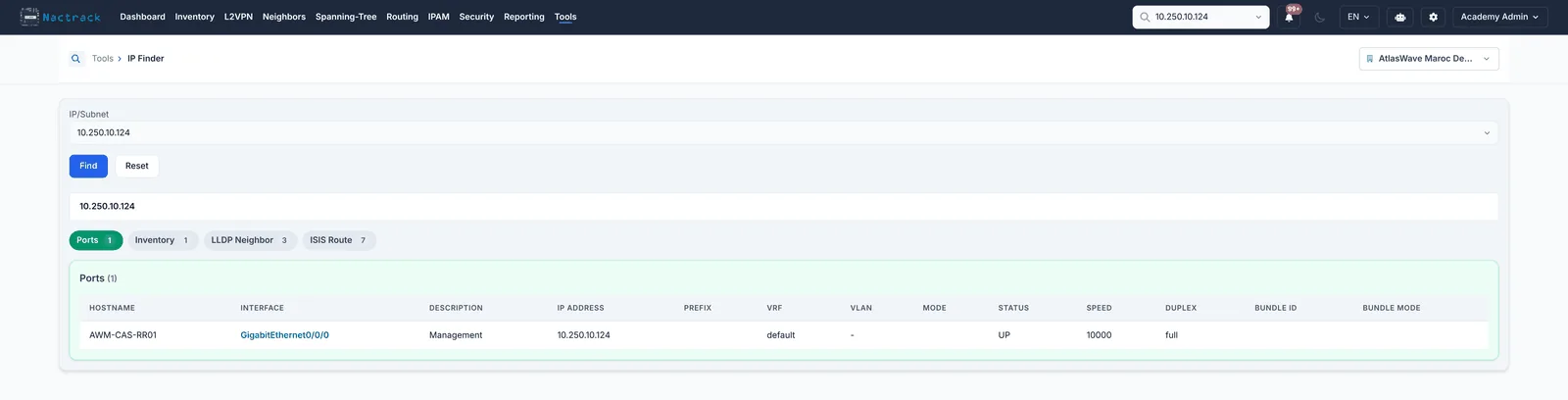
The limits
What this view does not tell you
- The sections that appear depend entirely on what was collected. An endpoint that no router has ARPed since the last collection will not appear at all, even though it is connected.
- An address can legitimately appear under several sources at once. That is confirmation, not a conflict.